 OdoMate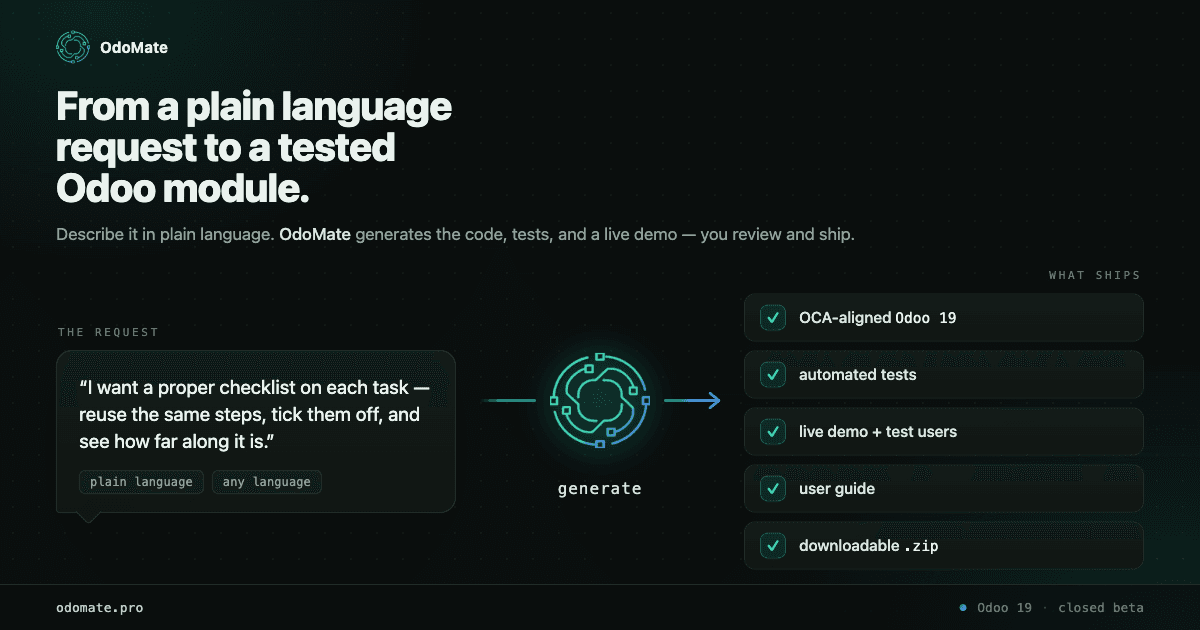
If you've ever described a small Odoo customization to a developer, you know the gap: the request sounds simple, the estimate comes back surprisingly large, and the first version still isn't quite what you meant. Most of that friction isn't bad code — it's the distance between "what I need" and "a specification precise enough to build from."
OdoMate is built to close that gap. This is a full walkthrough of what it actually does, start to finish, using a real module we generated and published so you can inspect the output yourself instead of taking our word for it.
What OdoMate is, in one paragraph
OdoMate is an Odoo module generator. You describe a business requirement in your own language, OdoMate asks clarifying questions calibrated to how technical you are, and it produces an OCA-aligned Odoo 19 module — with automated tests, an auto-generated user guide, and a live demo you can click through, including test users at every permission level the module defines. Generated modules install cleanly and pass their automated test suite; a developer should still review them before production. It's currently in closed beta, free to invited users.
That's the whole loop. The rest of this post walks each stage, and then shows the concrete output of one real run.
Who it's for — pick your profile
Before you describe anything, you pick a profile, and that's the setting that makes OdoMate usable whether or not you write Python:
- Business — no Odoo jargon. For an owner or product person who knows the process, not the platform.
- Functional — Odoo terminology welcome, no Python expected. For a business analyst or functional consultant.
- Technical — go deep. For a developer who wants to talk models, fields, and record rules directly.
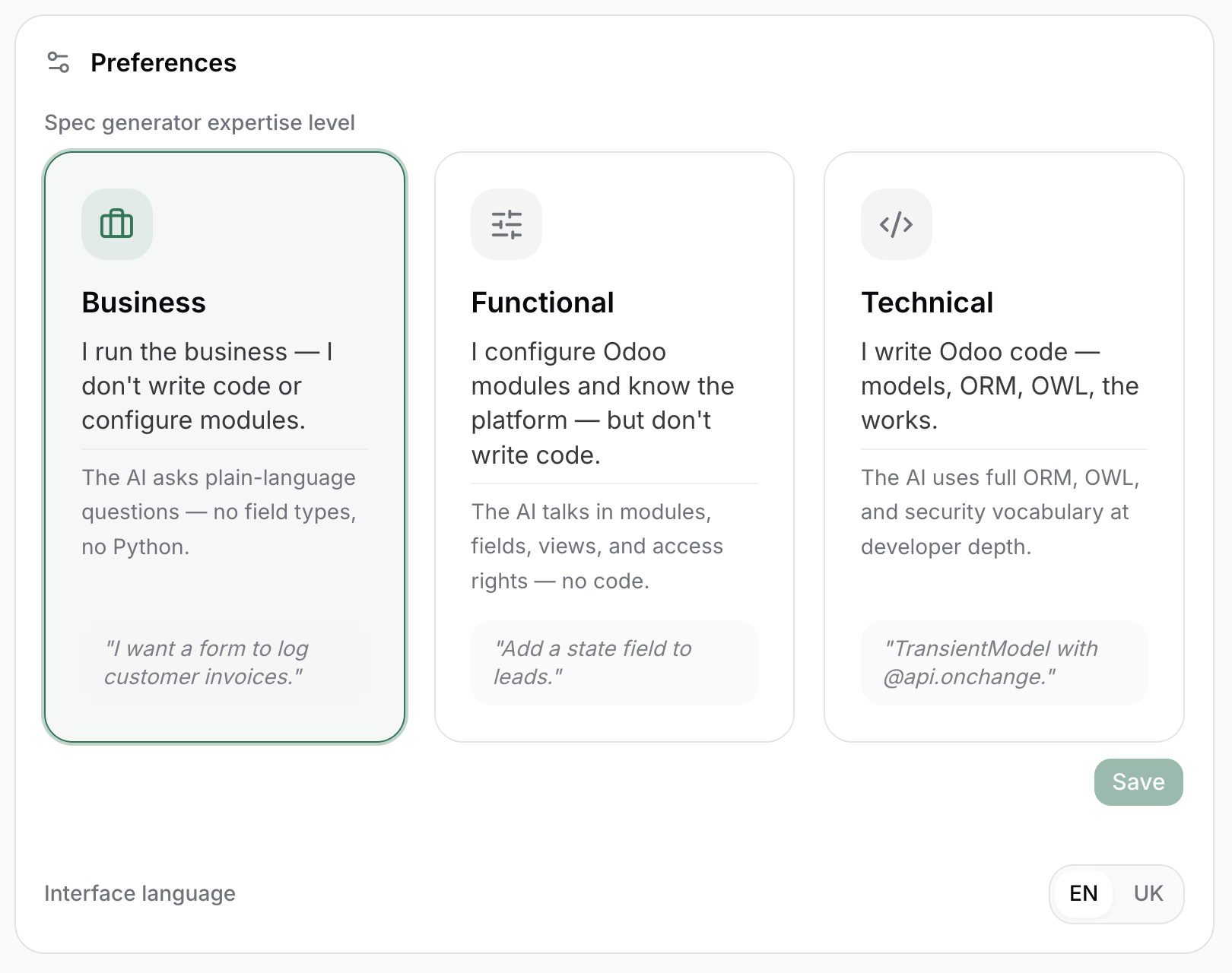
The profile changes the conversation, not the code. A business owner and a developer describing the same module get very different clarifying questions but the same kind of generated output. You set a default at first login, change it anytime in settings, and can also override it for a single generation.
The walkthrough, stage by stage
To keep this concrete, here's a real module we ran through OdoMate end to end: Project Task Checklists — reusable, step-by-step checklists you attach to Odoo project tasks, with live progress tracking and self-stamping start/end dates. It's published as a free module (links at the end), so every claim below is inspectable.
1. Describe the requirement — in plain business language
You start exactly how you'd explain it to a colleague. No Odoo jargon, no Python. The real request behind this module was written by a project manager who uses Odoo every day but has no idea how Odoo is built — and it opened like this:
When my team works on a task, the same task often involves the same set of steps every time… Right now Odoo just gives me one task with a description box. I want a proper checklist on each task — write down the standard list of steps, reuse it on every new task, tick the steps off one by one, and see how far along the task is at a glance.
That's a perfectly good starting point. You can write it in English, Ukrainian, German, Spanish, or another language; OdoMate reads it and replies in the same language throughout.
2. Answer a few targeted questions
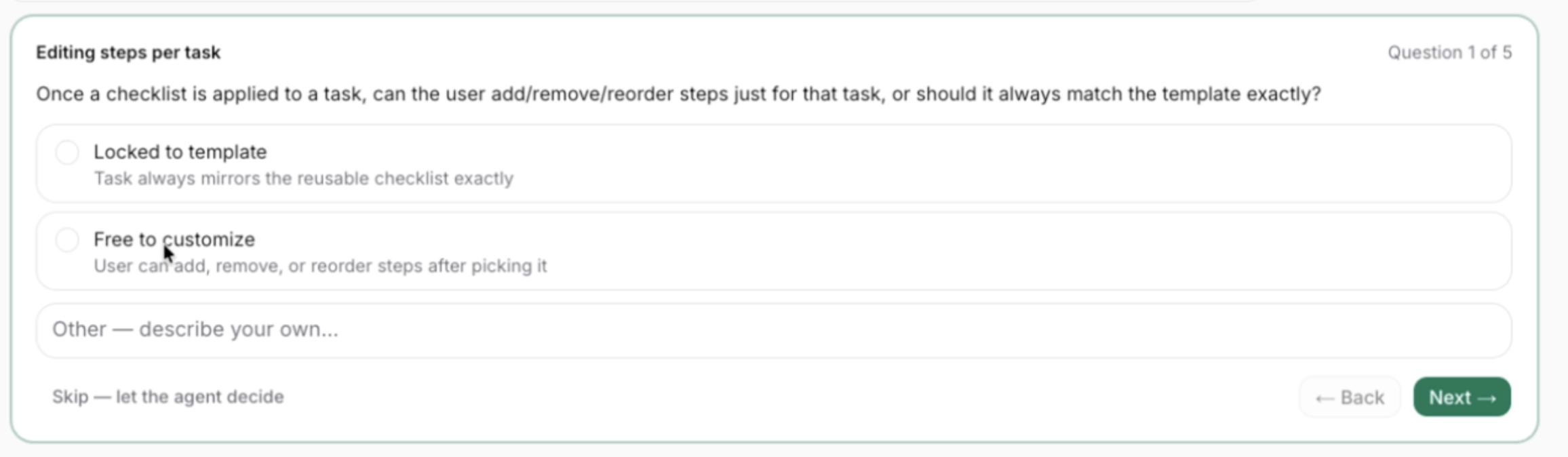
This is where a vague request becomes a buildable spec — and OdoMate doesn't make you write the specification. It asks a short series of pointed questions, each with sensible options, an "Other — describe your own" box, and a "Skip — let the agent decide" fallback for anything you don't have an opinion on. Two of the real questions it asked for this module:
Editing steps per task (Question 1 of 5): Once a checklist is applied to a task, can the user add/remove/reorder steps just for that task, or should it always match the template exactly?
— Locked to template
— Free to customize
— Other
Switching checklists (Question 3 of 5): If a task already has a checklist in progress and the user picks a different one, what should happen? — Replace it — Block the change — Warn, then let them confirm — Other
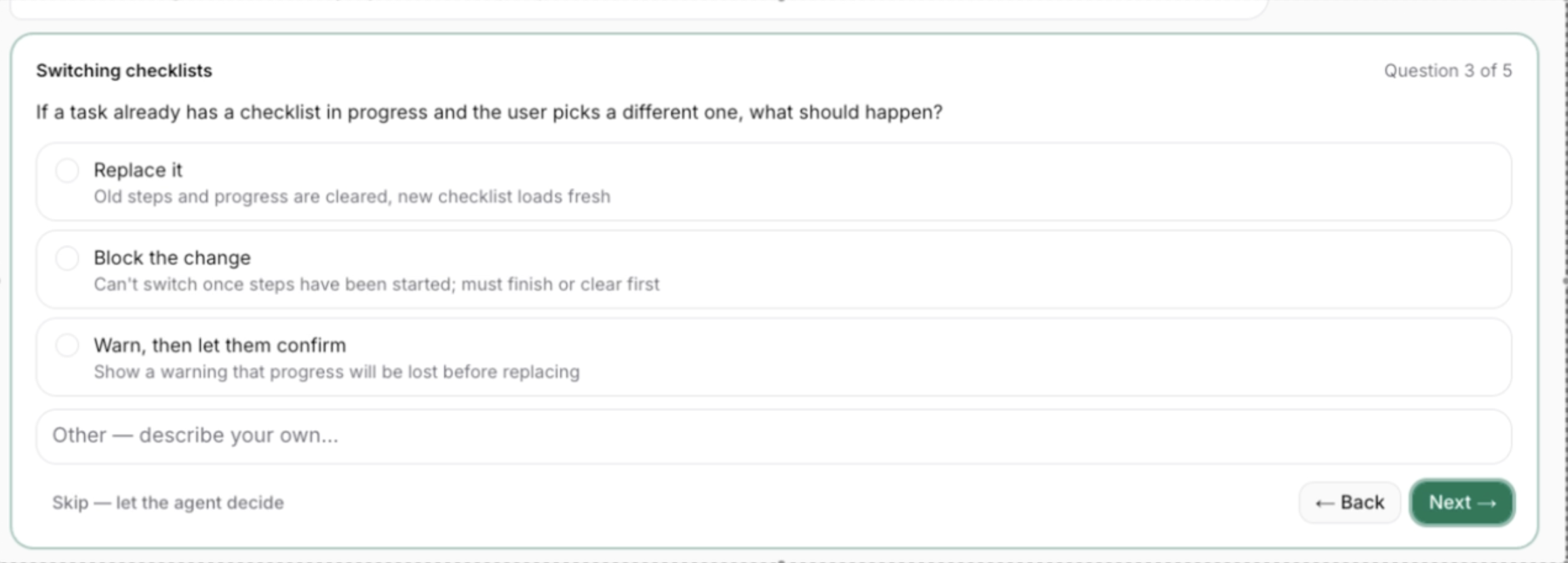
Those two answers are exactly why the finished module gives each task an independent, editable copy of the checklist, and why it pops a confirmation wizard before replacing a checklist that already has progress. The questions did the hard design work up front, before a line of code existed. (If you want the deeper version of why these questions matter, we wrote a whole piece on it: the 6 things every Odoo module spec should answer.)
3. Refine until it's right, then generate
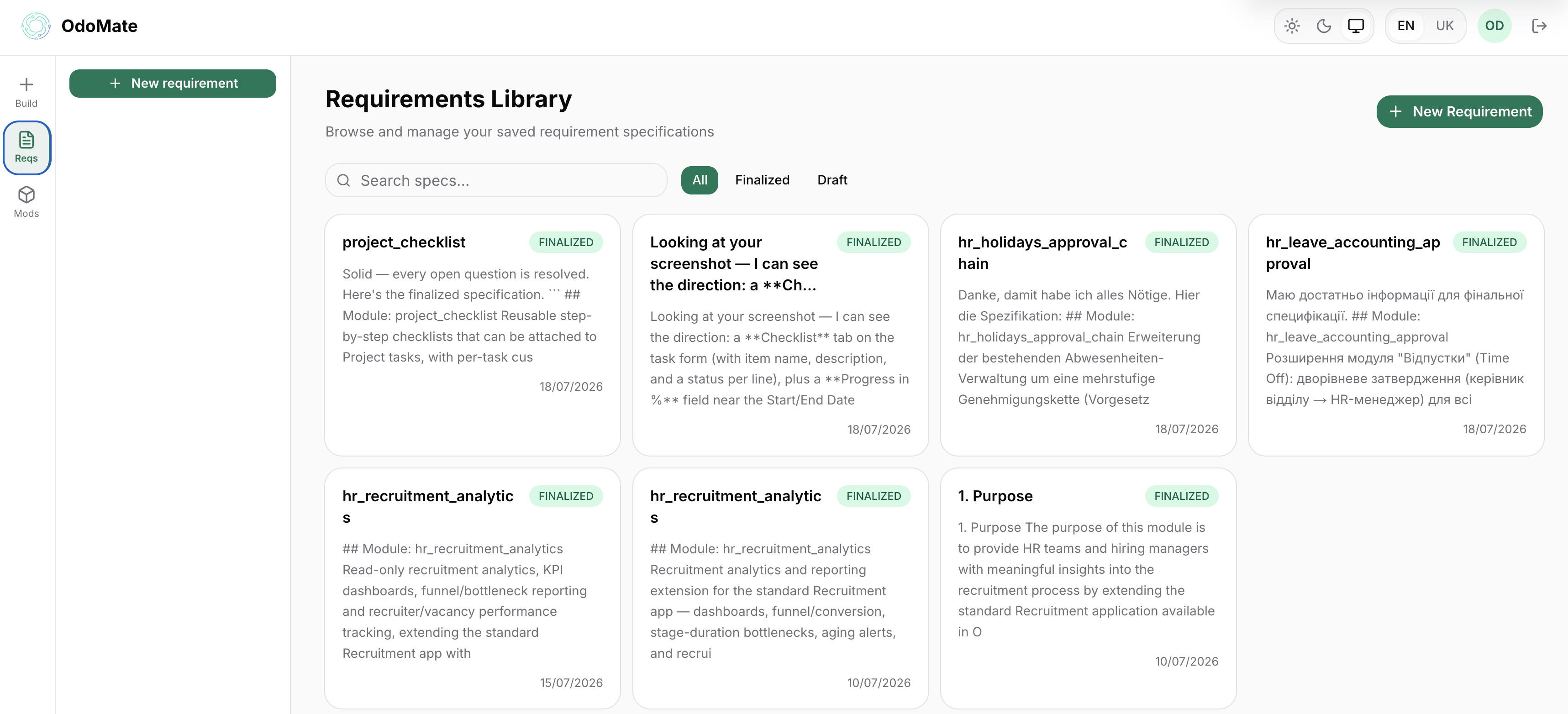
Requirement-gathering is a loop, not a form. You keep editing and clarifying until the spec reads the way you meant it, then click Configure and Generate. The finalized requirement is saved in your Reqs library — so later you can regenerate it fresh or send it back into refinement without starting over.
4. Review what came back
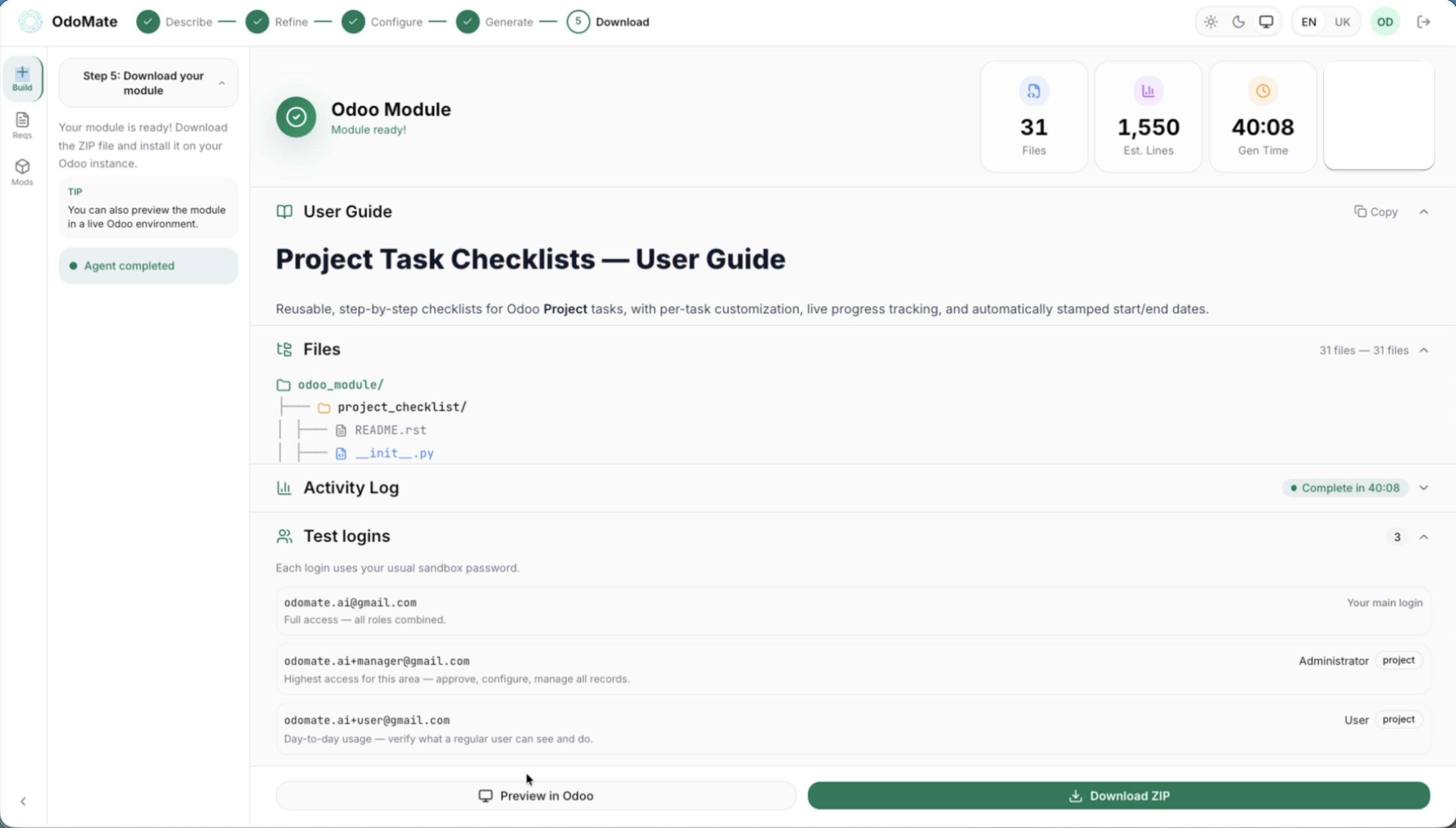
OdoMate generates the module and gives you several things to inspect:
- The module itself — models, views, security, wizard, demo data — as a downloadable zip.
- An automated test suite that ships inside the module.
- A live Odoo demo with the module installed.
- An auto-generated user guide describing what the module does and how each role uses it.
5. Verify permissions with real test users
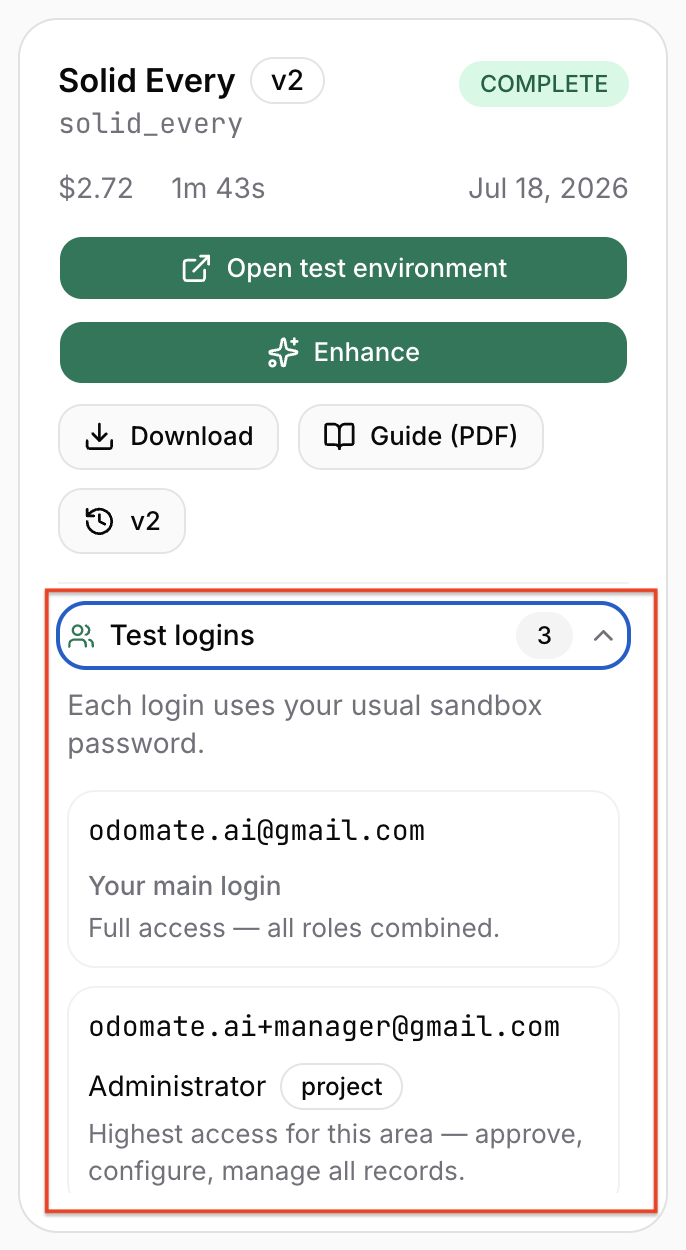
This is the part reviewers usually can't do quickly, and it's built in. The demo isn't just admin/admin. Project Task Checklists defines two permission tiers — a regular internal user and a Project Manager — plus a record rule so a user never sees checklist steps on a task they can't see. OdoMate spins up test users at each level, so you log in as each role and verify what they can actually do before you ship. A Project Manager can create and edit templates; a regular user can read templates and work their own task's steps, but not touch the shared template library.
6. Enhance without regenerating
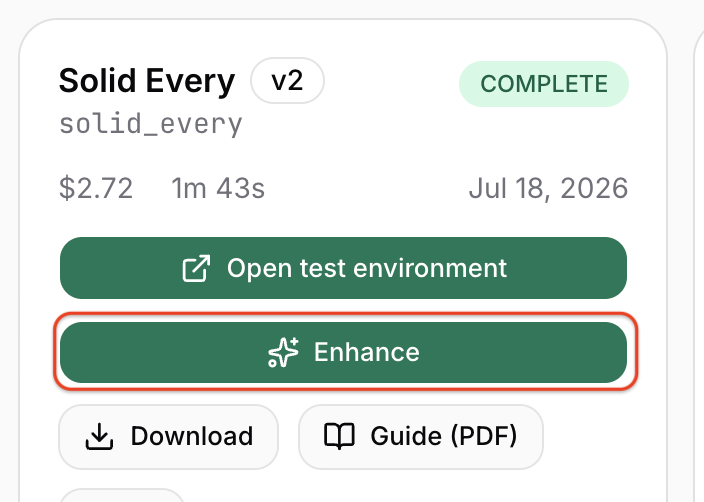
If something's missing after review, you don't start over. Describe the change, attach screenshots of what's wrong, and OdoMate iterates on the existing module. The enhanced version lives alongside the original in your library.
What the output actually looks like
Here's the real generated module.
The structure follows OCA conventions — separate models/, views/, security/, wizard/, tests/, and demo/ directories, a proper __manifest__.py, and an LGPL-3 license:
odomate_project_checklist/
├── __init__.py
├── __manifest__.py
├── README.rst
├── models/
│   ├── __init__.py
│   ├── project_checklist_template.py
│   ├── project_task.py
│   └── project_task_checklist_line.py
├── views/
│   ├── project_checklist_template_views.xml
│   └── project_task_views.xml
├── security/
│   ├── ir.model.access.csv
│   └── project_checklist_security.xml
├── wizard/
│   ├── __init__.py
│   ├── wizard_project_checklist.py
│   └── wizard_project_checklist_views.xml
├── tests/
│   ├── __init__.py
│   └── test_project_checklist.py
├── demo/
│   └── demo.xml
├── doc/
│   └── USER_GUIDE.md
└── static/
    └── description/   (icon, banner, screenshots, listing page)
It ships with a 12-test behavioral suite — not placeholder assertions, but tests that pin down the actual rules the spec established. The test names read like a requirements checklist:
test_apply_on_empty_task_copies_lines
test_switch_without_progress_replaces_immediately
test_switch_with_progress_waits_for_confirmation
test_replace_wizard_confirm_replaces
test_progress_excludes_cancelled
test_progress_zero_when_all_cancelled
test_start_date_stamped_on_first_in_progress
test_start_date_not_overwritten
test_end_date_stamped_on_completion
test_end_date_self_heals_when_reopened
test_end_date_cleared_on_confirmed_replace
test_template_line_count
You can run them yourself against a clean Odoo 19 instance.
Every module also comes with a user guide OdoMate wrote from the same spec — a table of contents, a worked progress example, a field reference, a security matrix, and an honest Limitations section. It's usage documentation organized by role, which is what a partner actually hands a client — not an API reference.
Where the honesty line is
Proof-first means naming what the tool doesn't do, so here's the frank version.
Generated modules install cleanly and pass their automated tests, but a human should review before production — treat OdoMate as leverage that removes the boilerplate, not as a replacement for a developer's judgment on security-sensitive integrations or performance-critical queries.
And this specific module has scoped limitations, which OdoMate documented itself rather than hiding: no per-step assignment, no notifications, templates are global (no per-company isolation), editing a template isn't retroactive to tasks that already copied it, and there are no dashboards beyond the on-task progress bar. Those were deliberate v1 boundaries — the point is that the generated guide states them.
One more scope note: OdoMate targets Odoo 19 Community today. Odoo 20 support is planned once it's released; 16, 17, and 18 aren't currently supported.
See it and judge for yourself
The whole reason we published this module openly is that you shouldn't have to trust a landing page. Read the code, run the tests, install it in a sandbox:
- On GitHub: github.com/OdoMate-Org/example-modules — full source, tests, and the module structure.
- On the Odoo Apps Store: apps.odoo.com/apps/modules/19.0/odomate_project_checklist — install it into a real Odoo 19 instance.
For the wider picture — what AI can build for an Odoo developer, analyst and business owner, and where it stops — read Build an Odoo module with AI in 2026. If you'd rather see this run on your spec, that's what the beta is for.
Curious how this works on a real requirement of your own? Request early beta access — we review requests on a rolling basis and onboard in small cohorts.
FAQ
What is OdoMate? OdoMate is an AI-driven Odoo module generator. You describe a business requirement in your own language and pick a profile (business, functional, or technical); OdoMate asks clarifying questions at that level and generates an OCA-aligned Odoo 19 module with automated tests, an auto-generated user guide, and a live demo that includes test users at each permission level the module defines.
Do I need to know Python to use it? No. You pick the Business profile and describe the need in plain language. You'll want a developer to review the generated code before production, but you don't need to write it.
Which Odoo versions does OdoMate support? Odoo 19 Community edition today. Odoo 20 support is planned as soon as it's released. Older versions (16, 17, 18) aren't currently supported.
Are the generated modules production-ready? They install cleanly and pass their automated test suite, but a human should review them before deploying to production — especially anything security-sensitive or performance-critical. OdoMate removes the boilerplate; it doesn't remove the review.
Can I really see the code OdoMate produces? Yes. We publish real generated modules — full source, tests, and the original spec — on GitHub and the Odoo Apps Store, so you can evaluate the output quality before you ever request access.
What happens after the module is generated — am I stuck with it as-is? No. You can enhance an existing module by describing what to change and attaching screenshots, and OdoMate iterates on top of it instead of regenerating from scratch. The finalized spec is also saved so you can regenerate or keep refining later.