 OdoMate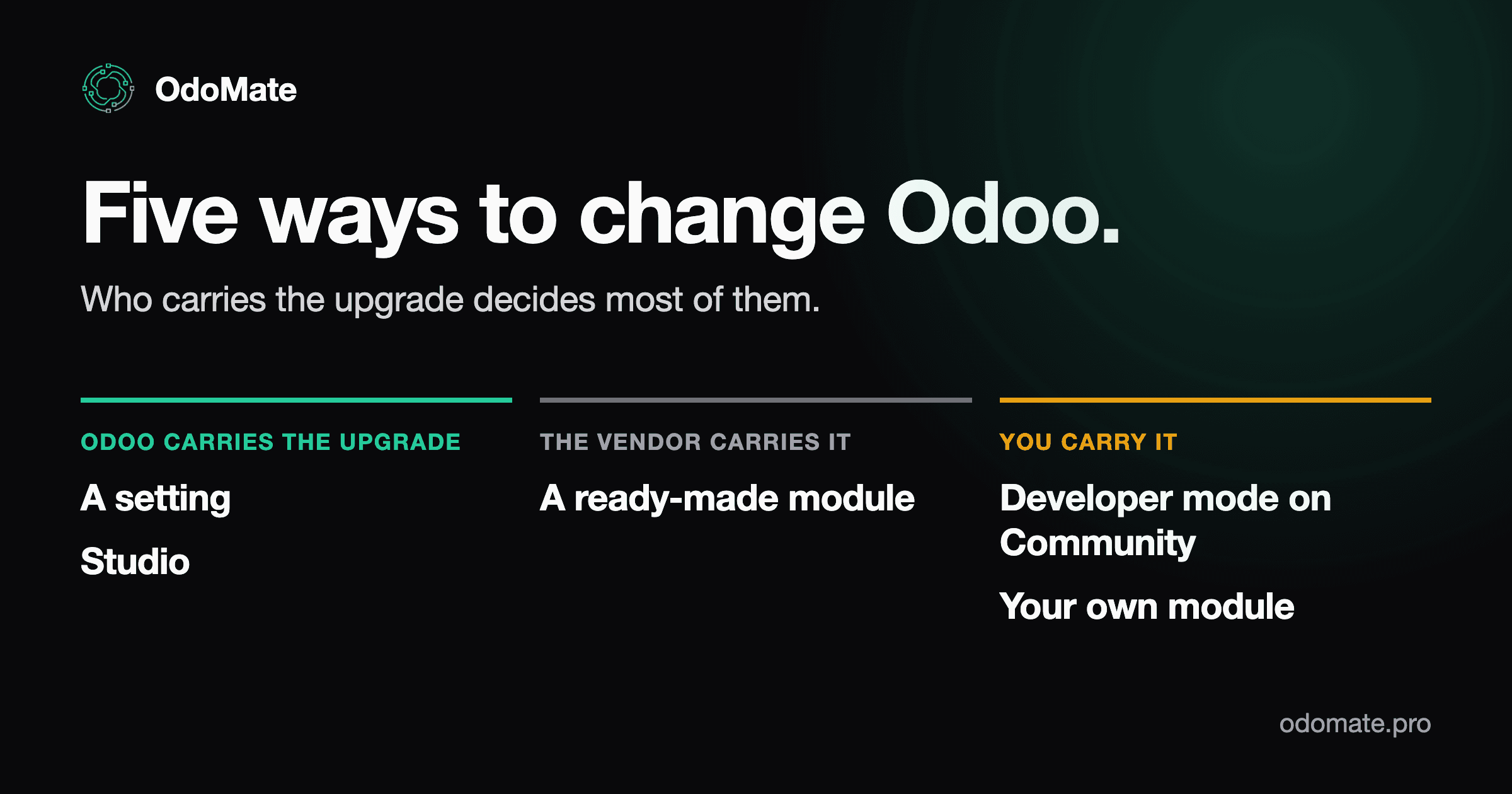
Odoo covers most of what a business needs as standard functionality. It still has to be configured — you cannot deploy it and start working the same afternoon — but configuration is not customization, and it gets you most of the way. Then you hit the part that doesn't fit your team's workflow:
- your team has a step nobody else has;
- an order needs an approval Odoo never asks for;
- your accountant wants a report in a particular shape.
That gap is where the money goes, and where the arguments start.
Someone tells you it's a five-minute change. Someone else says you'll need a developer. A third person sends a link to a third-party app, free or paid, that already does it. All three can be right about the same requirement. That is why the conversation goes round in circles: the problem is not a shortage of opinions, it is the absence of a shared test for comparing them.
There are five ways to change how Odoo behaves, and three things decide which one is yours:
- whether the point-and-click tools can express your requirement at all;
- who fixes the change when the next Odoo version lands;
- whether the change can be copied into another Odoo database — a test copy, a second company, a new hosting provider — or whether it only ever exists in the one where it was made.
Here is each one in plain terms, what it really costs, and how to tell which one is yours.
Here is the whole decision on one screen, before the detail.
| Option | Best for | Main limit | Who fixes it at upgrade | Moves to another database | Works on Odoo Online |
|---|---|---|---|---|---|
| A setting | behaviour Odoo already ships | only what the switch offers | Odoo | yes, it is part of the product | yes |
| A ready-made module | a common requirement someone has already solved | you adapt to the vendor's design | the vendor — and you pay per version | yes, it is a module | no — see below |
| Studio | bounded changes on Enterprise | no code review, tests or history | Odoo, while Studio stays installed and paid | yes, via Studio export/import | yes |
| Developer mode on Community | bounded changes without an Enterprise plan | no visual report designer; easy to leave undocumented | you | records, not files — awkward | n/a — Odoo Online doesn't run Community |
| Your own module | logic the click tools can't express, or code you must own | costs attention for as long as you run it | you, unless you buy a maintenance contract | yes, it is files in a repository | no — needs Odoo.sh or your own server |
One line worth reading twice: Odoo Online takes no modules at all. Odoo's own documentation is explicit — Odoo Online "is incompatible with custom modules or modules from the Odoo Apps Store". That rules out options 2 and 5 together, not just the one you build yourself: a vendor module from the Apps Store is a custom module as far as Odoo's hosting is concerned. If you are on Odoo Online and the answer is a module of any kind, the first change is hosting — Odoo.sh or your own server.
Option 1: Change a setting (configuration)
What it is. No customization at all — a switch that already exists, in Settings or on the record itself. A surprising share of "we need a customization" turns out to be a setting nobody knew about. Odoo 19 will, for example, create and post an invoice on its own when an online payment goes through: that is Automatic Invoice in the eCommerce settings — a checkbox, not a development project.
What it costs. The time it takes to find it, and someone who knows where to look, because it may not be described in Odoo documentation.
Who owns it at upgrade. Odoo. Entirely. Settings are part of the product, and they come across with it.
What it can't do. Anything the switch doesn't already offer — and it is exactly one switch, so if you need the behaviour for one warehouse and not another, check that the setting is per-warehouse before you count on it.
A quick way to check. Odoo's own help assistant is good at this exact problem: describe the behaviour you want in plain words and it will point you at the setting, including ones you would never have found by browsing menus. Worth five minutes before anyone quotes you for five days.
Choose it when. Always look here first, before anyone quotes you for anything. This is the only option on the list that adds nothing to your maintenance costs.
Option 2: Buy a ready-made app
What it is. Someone has already built it and sells it, usually on the Odoo Apps Store. You install it and use it out of the box, exactly as the vendor built it. There are thousands of them, and for common requirements — extra approval steps, reporting, industry-specific behaviour — the chance that yours is genuinely unique is lower than it feels.
What it costs. A licence, typically per Odoo version rather than once forever. Plus the least visible cost on this list: the time to work out three things: whether the module is well built — popularity is not reliability, and the download count says less than it appears to — whether it actually runs on your Odoo version and edition — plenty of modules require Enterprise — and whether the vendor will still be there next year to update it for the next Odoo version. A quick check helps: look at how many Odoo versions the module has already been released for, and what else that vendor publishes. A long list of versions means they maintain their modules for years rather than abandoning them after the first release. And even paying per version, a ready-made module usually costs far less than commissioning the same functionality from scratch — which is why it is worth looking before you commission anything.
Who owns it at upgrade. The vendor does the work — but you pay for it, again, every time. What you are really buying is someone else's promise to keep the module current, and it holds only as long as that module stays on their roadmap. Their release schedule becomes yours: if they are slow to support the newest Odoo version, you wait for them. If they stop altogether, you are holding code you didn't write.
What it can't do. Run on Odoo Online at all — Odoo's hosting takes neither custom modules nor Apps Store modules, so this option and option 5 stand or fall together on that point. Beyond that: fit your process exactly. A vendor module is built for the average of its buyers, so you will usually adapt slightly to it rather than the other way round. It also has to get along with everything you already have installed: two modules can change the same screen or the same field and disagree, and a module written against a clean database can behave differently against years of your data. So budget for two things people forget — testing it on a copy of your database before it goes anywhere near the real one, and the chance that it still needs tailoring before it fits.
Choose it when. Your requirement is common, you can live with someone else's design decisions, and you would rather rent the maintenance than own it.
The most predictable branch of this option: the OCA. The Odoo Community Association is a non-profit whose members maintain several thousand free, open-source Odoo modules — you can read every line of them in its public repositories. What matters here is not really that they are free, it is that they are predictable: the code is reviewed in the open rather than inside one company, and porting to each new Odoo version is done by the community, so one vendor's decision to stop cannot strand you on its own. It lowers that risk rather than removing it: maintenance and porting pace still vary module by module, so check when the repository you need was last touched and whether it has a branch for your version. That counts double on Community, where the OCA fills a good number of the gaps the free edition leaves. There is also no licence to buy again at every Odoo version — the cost of the next upgrade is your own testing time, not another invoice. What you give up: there is no supplier to call, and no promised date. A module moves to a new Odoo version when someone in the community takes it on — sometimes sooner than a commercial vendor manages, sometimes later.
Option 3: Point and click, with Studio
What it is. An Odoo Enterprise app that changes the system by pointing and clicking: add a field, move it on the screen, design a report, set up a rule that fires when something happens. It is not a toy — Studio creates whole models and security rules, and its automation rules can run Python.
What it costs. Studio needs Enterprise on the Custom plan or above. On the Standard plan, installing Studio moves you to Custom automatically — an upsell order on a yearly contract, an automatic switch on a monthly one. It changes your subscription, so it is not a free checkbox.
Who owns it at upgrade. Odoo does, and this is Studio's real advantage over every other option here except changing a setting. Odoo's upgrade service-level agreement covers customizations made with Studio at no extra cost, on two conditions: Studio stays installed, and the subscription stays active. Drop either and the coverage leaves with it, while the fields stay in your database.
What it can't do. Studio writes its changes into your database as records, not as files. There is nothing to review, no automated tests, no history of who changed what and why. In practice the risk is threefold: nobody checks a change before it reaches your live database; nothing warns you when the next change breaks the last one; and when someone asks a year later why a field behaves this way, there is no answer — only the field. The work does move: Studio collects your changes into an auto-generated module you can export as a ZIP and import elsewhere. What you don't get is the workflow around it — code review before a change lands, tests that fail when someone breaks it, and a history you can read a year later. Portable is not the same as governed. And the protection stops exactly where Studio gets powerful: the moment a rule uses the Execute Code action, Odoo's documentation states that maintenance of that code is not included in the Standard or Custom plans and costs extra.
Choose it when. You are on Enterprise, the change is bounded, and it lives in one database you do not plan to clone.
Option 4: Point and click, without Studio
What it is. Odoo Community does not include Studio — Odoo's editions comparison marks it Enterprise-only — but Community is not locked. Switch on developer mode and you can add custom fields and models, edit a screen directly, and build rules that fire on events. Those rules ship in Community as the base_automation app, and server actions can run Python. Odoo requires anything you add this way to be named with an x_ prefix, enforced in its own code.
What it costs. No licence — Community is free. The cost is a person rather than an invoice: someone comfortable in developer mode, because there is no guided interface to keep them out of trouble.
Who owns it at upgrade. You do. There is no Enterprise subscription here, so there is no Odoo SLA covering the work. And because these are database records, exactly like Studio's, they carry the same problem when you need a second database.
What it can't do. There is no visual report designer. Nothing prompts anyone to write down what they did either, so a field added two years ago by someone who has left is a genuine archaeology problem.
Choose it when. You are on Community, the change is bounded, you have someone technical enough to do it carefully — and you accept that every Odoo upgrade means someone re-checking these changes by hand, because nobody else is going to.
Option 5: Build a custom module
What it is. Real code, in files, kept in your own repository. This is what Odoo itself is built from, so a custom module is a first-class part of the system rather than a patch on top of it. It can be written by a developer, or generated from a written specification and then reviewed.
What it costs. Time to build it, and — the part people underestimate — maintenance for as long as you keep running it. Every Odoo release is a small bill.
Who owns it at upgrade. You do. Odoo's SLA is blunt about this: it does not cover the upgrade of modules created in-house or by third parties, including Odoo partners, unless you hold a maintenance-of-customizations contract. Who wrote it makes no difference — a Gold partner's module is as uncovered as one written by your own team.
What it can't do. Run on Odoo Online. Odoo's own hosting does not accept custom modules — you would need Odoo.sh or your own server.
Choose it when. The change is something the click-based tools cannot express, or you need it reviewable, testable, and movable between databases — a real test copy, a second company, a new host.
Where AI generation fits. A generated module is a custom module. Same files, same need for review before production, same exposure at upgrade time. What generation changes is the cost of producing one, not the cost of owning it — which matters when the reason you settled for a workaround was that a module was too expensive to commission. Modules like this come from generation platforms — ours is called OdoMate; how OdoMate works, stage by stage is a separate walkthrough of one real run. Rather than take that on trust, read the open examples: a specification and the module it produced, side by side.
What decides between the five: capability first, then who carries the upgrade
Ask the cheaper question first: can the tools even do it?
Some requirements never reach the upgrade argument at all. The point-and-click tools cannot do them, so the choice is already made.
Talking to a system outside Odoo is the clearest case — and the line falls in a less obvious place than most people assume. Studio can already do more than react to events inside your own database: it creates webhooks in both directions, so an external system can trigger something in Odoo, and a change in Odoo can post out to an external system. No module required.
Where it stops is everything that makes an integration survive contact with production: retrying when the other side is down, not processing the same event twice, storing credentials safely, transforming data that doesn't map one-to-one, an outside library, and somebody being told when it breaks. Odoo's own webhook page is blunt about the boundary — it recommends involving a developer, warns that a misconfigured webhook can disrupt the database, and notes that custom target records or actions need programming.
So the honest rule is not "integration means a module". It is: a webhook can connect two systems; a module is what keeps them connected. Past the simple exchange, you are writing code into a text box with no review, no tests and no history — the cost of a module without the protections that make one worth having.
So there are two questions, in this order. Can the click-based tools do this at all? If not, it is a module, and the rest of this section does not apply to you. If they can, then the question below decides.
Read Odoo's SLA next to its list of exclusions and one rule appears: coverage follows the code, not the tool.
Point-and-click work done in Studio is Odoo's problem. Anything that arrives as a module is yours — whether you wrote it, a freelancer wrote it, a partner wrote it, or a generator produced it. That single line explains most of the table below, and it is the question to put to whoever is quoting you: when Odoo 20 arrives, who fixes this, and is that in writing?
Two details get missed. Studio's protection is conditional on Studio staying installed and paid for — downgrade the subscription and the coverage goes while the fields remain. And it covers the clicking, not code typed into it: an automation rule using Execute Code is custom code, with the fees that implies.
One more trap worth naming, because it is common and expensive: a custom module that depends on a field someone created in Studio. It works on the database where that field exists and can fail on a fresh one — a staging clone, a new company, a colleague's machine — because the field is a record someone made, not something the module carries with it. Odoo's own upgrade guidance is to make custom modules work in an empty database, precisely to keep this class of hidden dependency out. Pick one approach per feature rather than half of each.
Which one is yours
| If this is you | Start with |
|---|---|
| You are not certain the behaviour is missing | Option 1 — check the setting first, always |
| The requirement is common and you can adapt to someone else's design | Option 2 — a paid module, or a free OCA one |
| You are on Enterprise, it is one database, the change is small | Option 3 — Studio, and Odoo carries the upgrade |
| You are on Community and have someone technical | Option 4 — developer mode, and you carry the upgrade |
| It has to talk to something outside Odoo, or the rule is genuinely yours, or it must survive being copied to another database | Option 2 or 5 — a module: a vendor's or your own |
| You need a module but the quote is the reason you keep not doing it | Option 5, generated from a specification and reviewed by a developer |
If your option still isn't obvious, download the nine-question sheet. You answer each one from a dropdown, and it tells you where to start and why. Two minutes, nothing to install.
And if you reached option five and the reason you haven't commissioned that module is the price — request early beta access. We review requests on a rolling basis and onboard in small cohorts.
FAQ
Where do I look for documentation and advice on configuring Odoo? Start with the official documentation — it is organised by app and, importantly, tied to a version, so make sure you are reading the one you actually run. If you don't know what the setting is called, the help assistant is usually faster: describe the behaviour you want in plain words. When the documentation is silent and the requirement clearly isn't unique, check whether someone has already built it as a module — the Apps Store and the OCA repositories. Beyond that, the community forum has usually seen your question before, and Odoo's free courses help if you are starting from nothing.
Is Odoo Studio available in Odoo Community?
No — Odoo's editions comparison lists it as Enterprise-only, and installing it on the Standard plan moves you to Custom. Community's nearest route is developer mode — custom x_ fields and models, automation rules and server actions. It is a partial alternative, not an equivalent: no visual report designer, no guided interface, and none of Studio's upgrade cover.
Do Studio customizations survive an upgrade? Yes, and Odoo covers them at no extra cost — as long as Studio is still installed and the subscription is still active. Automation rules that use Execute Code are the exception: that is custom code, and its maintenance is charged separately.
Can Studio replace a custom module? For many bounded requirements, yes. Studio creates models, fields, views, security rules and automation, and it runs Python. Where it stops is anything needing behaviour at install time, control over what happens when a step fails halfway, or a stored value that stays correct on transitions nobody configured. Three real modules that show exactly where that line sits — plus the more expensive mistake that shows up only after you've built past it.
Are free OCA modules lower quality than paid ones? Not as a rule. OCA modules are reviewed in public and maintained by a community rather than a single vendor, which removes the risk of a supplier disappearing. What you give up is a support contract and a guaranteed porting date.
Does an AI-generated module count as a custom module? Yes, in every way that matters here. It is files in your addons path, it needs review before production, it does not run on Odoo Online, and its upgrade is not covered by Odoo's SLA. Generation lowers the cost of producing the module, not of owning it.